Who is Duncan Long?
Over the last two decades, I’ve created over a thousand illustrations for magazines and books including Asimov’s Science Fiction Magazine, HarperCollins, PS Publishing, Pocket Books, Solomon Press, Paladin Press, Ballistic Publications, American Media, Fort Ross, Lyons Press, and many small publishers.
I also do book design/layout work and sometimes modify or even design typefaces for publications.
I am also an internationally recognized author with nearly 100 books and manuals
that have gone into print including thirteen novels (HarperCollins and Avon Books).
Originally, I did most of my illustrating work for my own non-
Can I use your book cover artwork for free at my Web site?
With a very occasional exception for non-
What do you charge for creating a book cover illustration?
I’m pretty much in line with what other professional book illustrators charge: From $800 to $1,500 for a cover – the price is determined by the complexity of the work. Obviously a battle scene with a “cast of thousands” will cost more, while something like a simple country scene will be at the low end of the scale.
If a buyer wants to purchase the book illustration rights to a picture I’ve already created, I can often cut a good deal on these.
I should note that the prices quoted above are just for the right to use the illustration
on a book cover and for advertising that book; for other rights (like mouse-
Do you offer a contract when selling book cover illustration rights?
Yes, I do. As you probably know, US Copyright law grants the artist all the rights to any artwork he creates. If there’s not a contract, courts assume only minimal rights were purchased in any transaction with the book cover artist. So for the protection of anyone buying a book illustration, book cover graphic designs, or similar artwork for any purpose (CD album cover, magazine illustrations, etc., etc.) it’s wise to have a contract that spells out what rights you’ve purchased. Beware of the book cover artist doesn’t want to work under contract.
Do you consider yourself an Outsider Visionary Artist?
I have been called that (actually, I’ve been called a lot of things). You can see a fuller discussion of this in my Outsider Visionary Artist Interview.
How do you create your magazine and book illustrations?
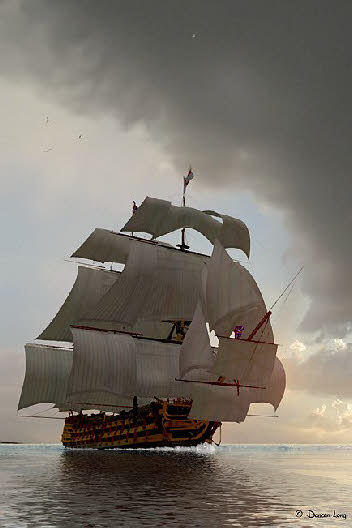
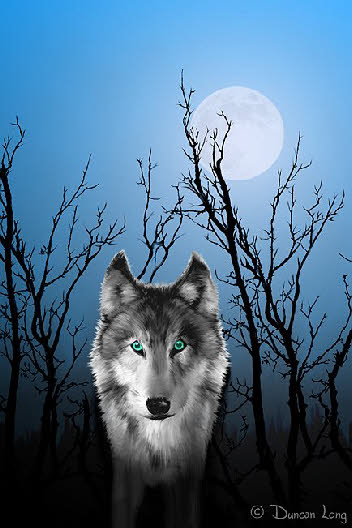
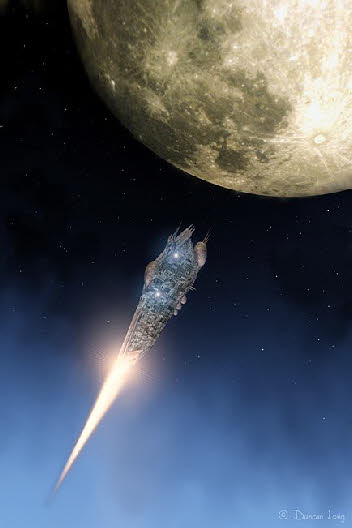
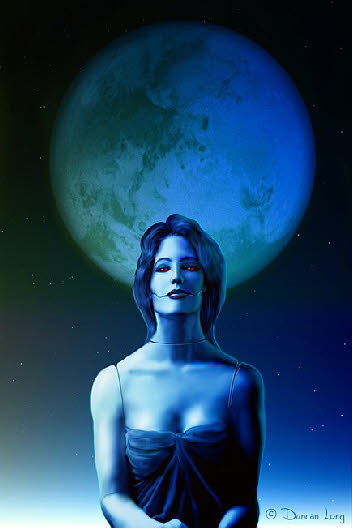
I do everything on the computer, though people sometimes mistake my book cover art
for oils or airbrush work. That's probably because I cut my teeth on oil painting
and liked the final product -
I use a graphics tablet for most of my digital work; at first it didn’t seem much better than a mouse, but after a couple of days I got used to it and now it is in the “can’t live without it” category.
What software do you use for your book illustrations?
Whatever gets the job done. Just as I sometimes used this or that brush, a palette knife, or whatever with oil painting, I often switch from this and that 3D or paint program and this and that plugin within those programs to obtain what I have pictured in my mind. Whatever gets the illustration done best and fastest is the tool selected.
I try not to “upgrade” programs too often. Most art programs have so many capabilities, that it often takes years to really discover all they can do and to gain skills in using them. A constant upgrade path can derail this progress.
Sometimes I use 3D programs to do the “grunt work” I don't want to do by hand, roughing in ideas. But these are almost always extensively reworked in a paint program to get the final look I desire. Some software can come close to producing a quality book cover illustration with just a render, but generally I’ve found a little tweaking gives a much better result.
Where do you get your ideas for your book cover art?
Many of my magazine and book pictures are “made to order” for editors and authors. These are a matter of transforming a writer’s story or an editor’s idea into a workable magazine or book illustration.
However, the illustrations I do for fun often become the ones that everyone wants
-
Other pictures seem to spring up almost on their own. I’m not sure exactly how the process works or whether it is the same every time (observing oneself without getting so distracted that the work suffers isn’t easy).
The computer art programs I use often seem to propel the creative process into areas I would not have ventured into had I been working in oils, pen and ink, or whatever. Additionally, the computer permits endless experimenting until an effect is achieved that is what I'm looking (yea, even hoping) for.
Sometimes the changes brought through computer modification are somewhat unexpected. These can also lead down avenues that would never have been discovered with traditional media, yielding some very spectacular magazine or book illustrations in the process.
Leonardo De Vinci suggested using ink spots, stains on walls, etc., for inspiration for pictures. I think some of this goes on with the computer and some of the more exotic “plugins” for graphics programs.
Of course this is an oversimplification of the process. Often the whole methodology
is mystifying and a somewhat seat-
˚˚˚
The following is an excerpt from a recent interview I did with a college student:
You are a writer as well as a book cover artist -
Well, I've been drawing since I was able to lift a pencil -
I often wonder if being a writer/illustrator was “in my blood.” It certainly seems so.
I haven't ever had any formal training toward being an illustrator except for a 3-
Fortunately my dad was a skilled amateur artist who showed me how to do a lot and gave me some excellent books and magazines that got me started with oils and water colors in addition to my drawing.
There are holes in my technique, but not many, thanks to my more-
Are there any artists that have influenced your work?
Many. I've tried to become familiar with the whole gamut of work from ancient sculptures and paintings up to the present. It seems there's always something to learn, a new way of looking at things to be learned, from studying the works of others. I think this is really key to becoming a good artist: You’re always observing and always learning new tricks.
Beginners (myself included in the past) always want to blaze a new trail and do something
that is completely new and different. But that isn’t possible unless you want to
invent a new medium and then can somehow manage to use it in a new way. That might
have been possible in 5000 BC, but surely is not now, barring some new break-
All good art (whether literature, music, or painting) is built on the techniques and styles of the past.
We don’t remember the first guy to paint in oils; we remember the people who mastered
the skill to create art that is treasured. The first guy to scrawl a drawing in pencil
is forgotten; the artist that can create a memorable drawing is remembered -
Since going to the medium of computer graphics, do you still use other methods, as in oils or watercolors to create your magazine and book cover artwork?
I left oils to concentrate on pen and ink because it seemed more precise and was easier and faster to work with. The precision was essential for illustrating the technical subjects I was writing about (which included everything from firearms to how to write books). I packed up my oils and never got them out again (they still sit in a box on my desk at my parents’ home, collecting dust for over three decades now).
Several years ago I started using the computer for illustrating my own books and magazine articles. One day I realized I hadn’t even touched my pens and drawing tools for almost a year. Stealth obsolescence, I guess. I packed them up and put the box on the shelf and have only opened it once to retrieve a ruler for measuring a picture. Currently, the only time I use a pencil or pen is to jot a note at the phone or to sign a check or contract. I guess it is pretty weird when you think about how fully the computer has changed the process of creating art.
Actually, the whole changeover is a very strange event -
I don’t feel all the years with oils and ink were wasted, however. Many of the techniques I used are now employed with the computer artwork produced to illustrate book and magazine stories. The abilities I gained with pencil, pen, and brush all go right into the strokes of the graphics pen to produce today’s book cover illustrations.
Plugins and filters are useful tools with paint software, though care must be taken
that they don't become an end to themselves rather than part of the set of painting
tools. Sometimes when using these the computer almost becomes a graphic art “assistant,”
generating ideas or layouts I would never have considered in working without the
modifications the program generated. This dynamic element of the computer is something
that has really made my book cover graphics “spread their wings” and venture into
areas I would have been incapable of journeying to without the computer-
The best part of computer book illustrations, though, is that there're no turpentine fumes.
Which of your magazine and book illustrations is your favorite?
That's like asking a parent to pick their favorite child. I think my work that is
dark and more abstract (though never totally abstract) tends to be my favorite, though
some of my more realistic pieces I’m quite proud of. I tend to put my favorites in
my online portfolio of book illustrations, so probably that would be a tip-
Of course my favorites magazine and book illustrations aren’t always those of the viewer. I’ve found one big plus of the Internet is that there is now the space to display many of my illustrations so people can see them. What I’ve found in doing this with my online galleries is that illustrations that would otherwise never been seen (or purchased for use in a magazine or book) are sometimes the favorites of some viewers, though only marginally attractive to my own eye.
Bolstered by the favorable response from visitors to my site in the past, I now put more illustrations on the Web and continue to be surprised at how people may choose this or that illustration for a book or magazine when I felt that piece of artwork was hardly worth saving. In the past such artwork would have been stored away and forgotten or even destroyed. Now I can put them up on the WWW with little effort and often have the joy of seeing them employed in a magazine or on a book cover. In effect art that would never have been seen can now be enjoyed by viewers.
By the same token the numbers of viewers of my artwork is amazing, thanks to the Web. If I were trying to display my artwork locally, I’d be lucky if I had several hundred people view it. Today on the Internet, my main graphic art gallery has scored almost a million hits and my pictures have been viewed in even greater numbers. That order of magnitude is staggering.
I think eventually the web is going to give art students, and those who appreciate illustrations, a true wealth of material that has never been available in the history of the world. People will be able to sit in their home, school, or public library and have more art to enjoy than has ever been possible in the past, regardless of how wealthy you might have been. From the standpoint of art and culture, we are living better than royalty did in the recent past.
Do you have any “words of wisdom” for young illustrators?
Go into another line of work. I’m only half joking.
It’s a really hard task to make ends meet as a magazine or book illustrator, especially
when starting out – just as it is in any of the arts these days. Today some really
talented writers, book illustrators, and composers labor at the most horrid of jobs
because they devoted their education and time to their art. I know the average writer
in the US makes about $10,000 a year -
Unfortunately there are few if any real patrons these days who will hire innovative artists. And large corporations tend to see graphic arts as sources of expensive clip art only suitable for selling toothpaste or cars; such attitudes don’t bode well for serious artists who are viewed by too many employers as just a step above the janitorial staff.
My advice to budding artists: Don’t quit your day job and have another way to make a living. The art of book illustration seems to be headed toward hobby status.
What books have you written?
My nonfiction subjects include everything from a health manual to how-
Currently, I’m working to produce my own publishing company that will reprint some of my novels as well as print and ebook versions of original work.
I have had a weird career path: Some of my firearms and chemical/biological warfare books are in the private libraries of the CIA, US Marines, FEMA, and other US agencies as well as the private library of at least one foreign embassy and the EPC (Emergency Planning, Canada).
Before becoming a full-
˚˚˚
Links of possible interest:
Duncan's Free Ebooks and Publications
Duncan's Digital Music and MP3s
Copyright © 2008, 2010, 2011 by Book Illustrator Duncan Long. All rights reserved. Reproduction in any manner of text, book cover illustrations, book artwork, graphic artwork, CD album covers, magazine artwork, or book cover graphic designs on this page or the pages it links to is strictly prohibited without prior written approval from Duncan Long. All CD cover artwork, magazine illustrations, and book cover illustrations and graphic artwork for books and magazines have been created by writer / illustrator Duncan Long.
Soli Deo Gloria
FAQs for Book Cover Artist, Book Designer, and Book Illustrator Duncan Long.

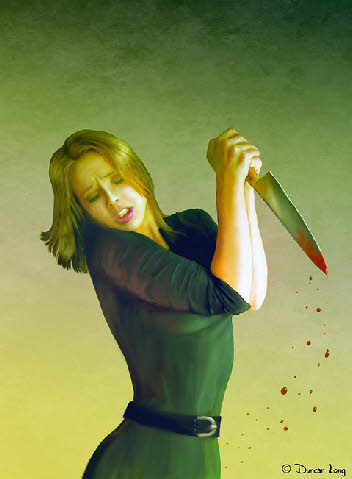
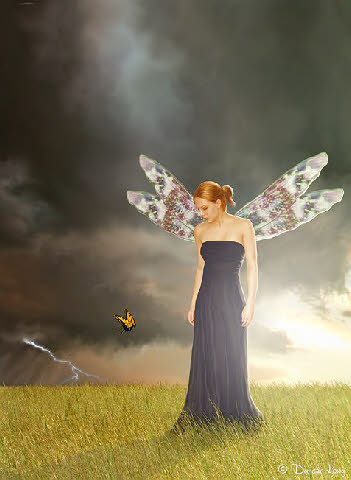
Reference photos supplied by Lisajen-
Copyright © 2009-

ILLUSTRATIONS:
LINKS:
DESIGN: